02 / Everyday / iOS
DaySlice
Make this turn yours.
See a day as one turn of Earth. A gentle visualization of time, with daily check-ins, widgets, and the weather.
A water clock, a sundial, a 100-square map of the year. DaySlice gives time a visible shape, so you can notice where you are in your day and year. Opening the app checks in automatically, and widgets keep today close.
At a glance
- Category
- Everyday
- Requires
- iOS 17.0+
- Public version
- 1.0
- Download
- Free
- In-app language
- Japanese, English, Chinese & more
- Developer
- MTK SH
What you can do
- 01Day progress as a water clock, sundial, or balance
- 02Automatic check-in on your first launch of the day
- 03Monthly calendar and Home Screen widgets
- 04Current conditions and hourly forecasts from Apple Weather
A look inside
01 — 03
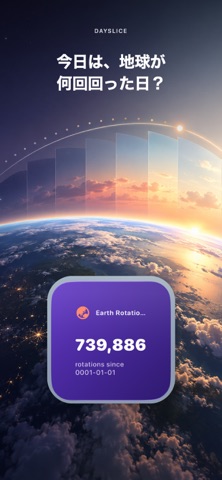

Actual screenshots from the App Store. The language shown in images varies by app and store artwork.
In-app language
Japanese, English, Chinese & more
These are the app languages listed on the App Store. This website has Japanese, English, and Simplified Chinese editions.
View all supported languages
Arabic · Catalan · Croatian · Czech · Danish · Dutch · English · Finnish · French · German · Greek · Hebrew · Hindi · Hungarian · Indonesian · Italian · Japanese · Korean · Malay · Norwegian Bokmål · Polish · Portuguese · Romanian · Russian · Chinese · Slovak · Spanish · Swedish · Thai · Turkish · Ukrainian · Vietnamese
A few useful answers
Do I have to share my location?
No. Tokyo is the default weather location. Permission is requested only if you choose local weather, and location is never stored.
How do daily check-ins work?
Your first launch each day automatically checks you in. Records stay on your device.
What does the Earth rotation count mean?
It expresses the civil-day count since January 1, year 1 as Earth rotations. It is a calendar-based visualization, not a measurement of Earth’s physical rotation.
Data & privacy
No account or ads. Check-ins stay on your device. Location is optional and is never stored.
Read the App Store description
How many times has Earth turned today?
DaySlice is a gentle way to see time—not as something to chase, but as a day worth noticing.
Open the app and today is checked in automatically. See the civil-day count since January 1, year 1 as Earth rotations, watch today unfold, and discover where you are in the week, month, quarter and year.
SEE TODAY AT A GLANCE
• Earth rotation count since 0001-01-01
• Day progress shown as a water clock, sundial or balance
• Day of year, 100-square year map and days remaining
• Moon age, seasons and an approximation of Earth’s orbit
REMEMBER THE DAYS YOU SHOWED UP
• Automatic daily check-in on first launch
• A monthly calendar of the days you opened DaySlice
• A thoughtful quote for each day
ON YOUR HOME SCREEN
Keep Earth rotations and your position in the year visible with beautiful widgets.
WEATHER IN THE SAME DAILY VIEW
See current conditions, temperature, hourly forecasts and rain probability from Apple Weather. Tokyo works by default; local weather is optional and requested only when you choose it.
No account. No ads. Check-ins stay on your device, and location is never stored.
Earth is turning today. Make this turn yours.
Information checked:
Check the App Store for current pricing, regional availability, and device compatibility.
More to explore

Three aims. One quiet rhythm.

One droplet. Many scales.